The ai-coustics SDK runs speech enhancement, voice activity detection and audio analysis on CPU inside your application.

Start your integration

SDK

Process audio from your own application. Choose Python, Node.js, C, C++, Rust or WebAssembly.

LiveKit

Add ai-coustics to a LiveKit voice agent. Check which plugin supports your language and model.

Pipecat

Configure enhancement and voice activity detection in a Python Pipecat pipeline.
Create an SDK key in the developer platform. See authentication for credential setup and pricing and trial access for account terms.

Choose your model

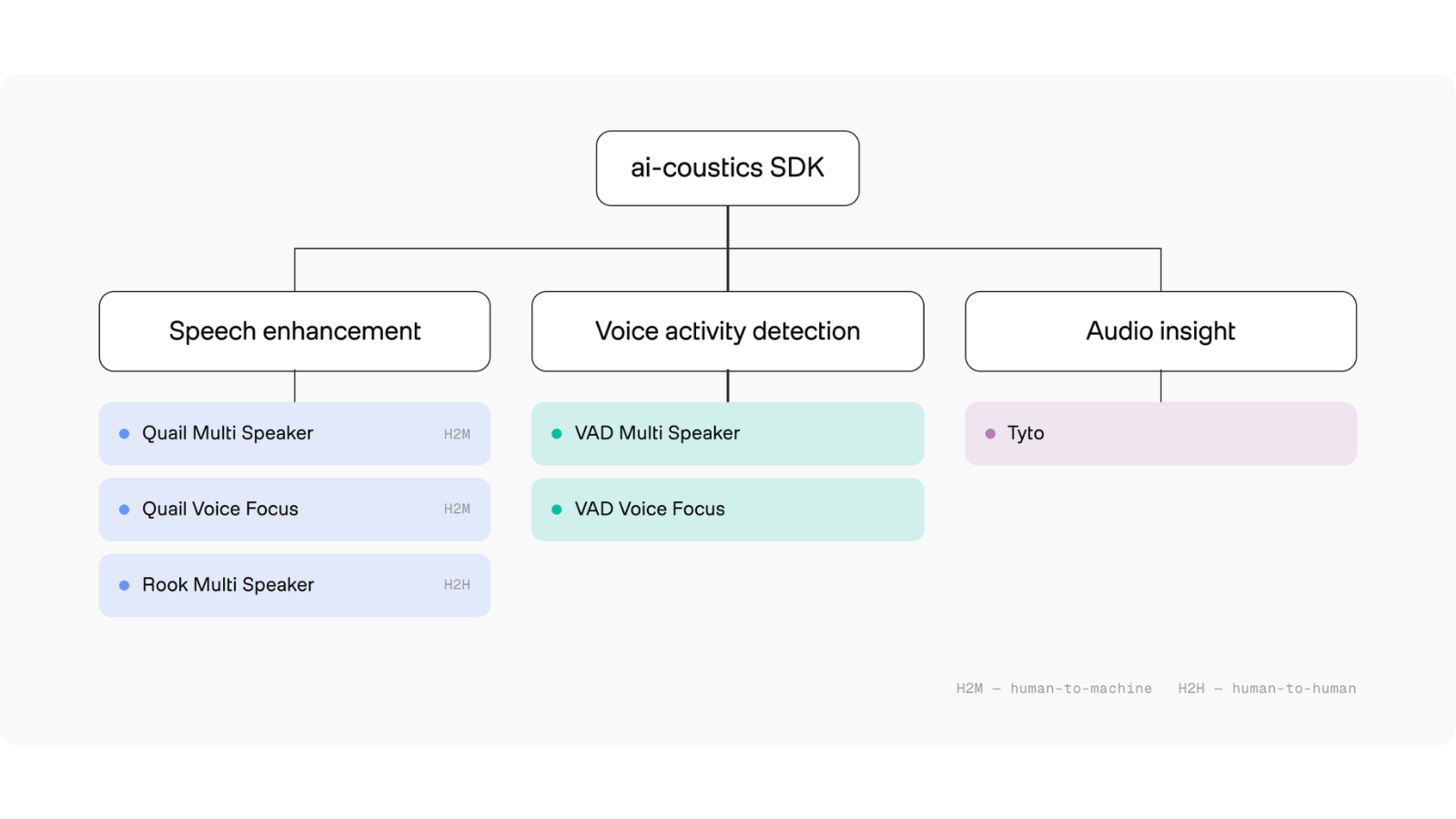
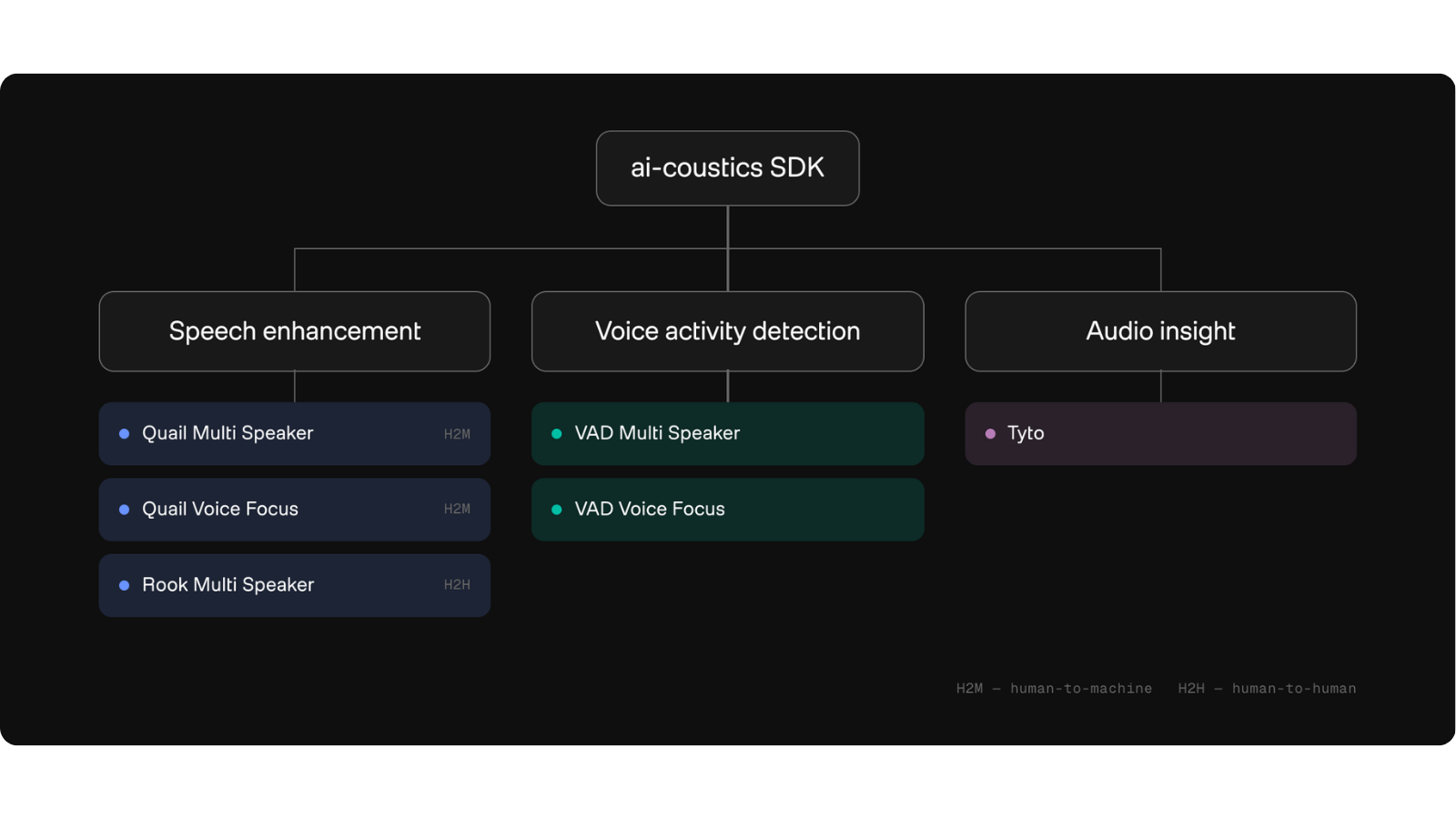
SDK model tree: Quail Multi Speaker, Quail Voice Focus and Rook Multi Speaker for speech enhancement; VAD Multi Speaker and VAD Voice Focus for voice activity detection; Tyto for audio insight.SDK model tree: Quail Multi Speaker, Quail Voice Focus and Rook Multi Speaker for speech enhancement; VAD Multi Speaker and VAD Voice Focus for voice activity detection; Tyto for audio insight.
Find exact model IDs, sample rates and frame sizes in the model reference. Try the SDK playground in your browser before installing.

Integrate correctly

  • Audio format: convert samples, choose channels and buffer complete frames.
  • Streams and state: manage each stream’s processor, ordering and reset behavior.
  • Latency: distinguish model delay, buffering and processing time.
  • Language bindings: find public APIs and examples for your language.

Evaluate and deploy

Compare audio quality and runtime performance on your workload. Use the examples and compatibility matrix to set up. Before production, follow the deployment guide and review authentication, SDK telemetry and OpenTelemetry observability. Use troubleshooting to diagnose setup and runtime failures. Check the changelog when upgrading.

Use these docs with an AI tool

Connect to the documentation Model Context Protocol (MCP) server or copy a page into your coding agent.